Sylights for iPad1.14.2
Publisher Description



You know the story: every day, thousands of photographers share their pictures on their blog, portfolio or on sharing platforms such as Flickr®. Every day, the same question gets asked: “How did you light this photo?”.
Now this is a tricky one! How does one go to explain a full setup of light modifiers, including strobes settings, placement, angles, ...?
Short answer: lighting diagrams.
Because a picture is worth a thousand words, Sylights has developed a tool to design outstanding lighting diagrams to help photographers prepare their shooting sessions or document their photos.
Whether you are shooting in a studio, covering a wedding or doing any other on-location photography work, here's what Sylights for iPad has to offer you:
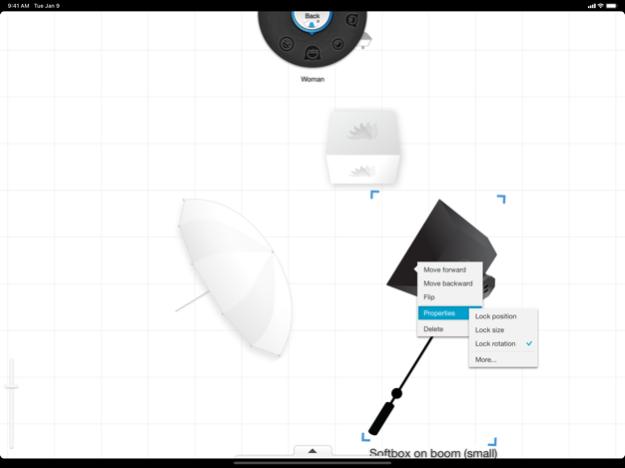
• A full screen lighting diagram editor, featuring an unprecedented user interface to quickly place any gear you're using on the screen:
- Resize and rotate items with intuitive two-finger gestures.
- With our unique gear wheel, only a few taps are required to access any of the 60 items of our growing gear library.
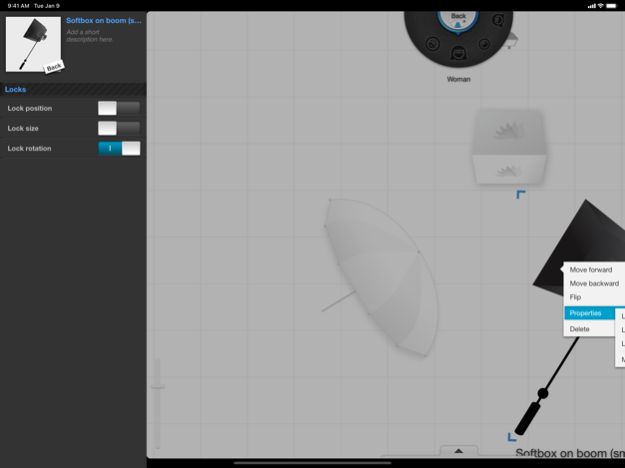
- Double-tap on any item to open its contextual menu, offering z-ordering and customizable properties.
- Save your diagram at any time and come back later to edit it again and complete it.
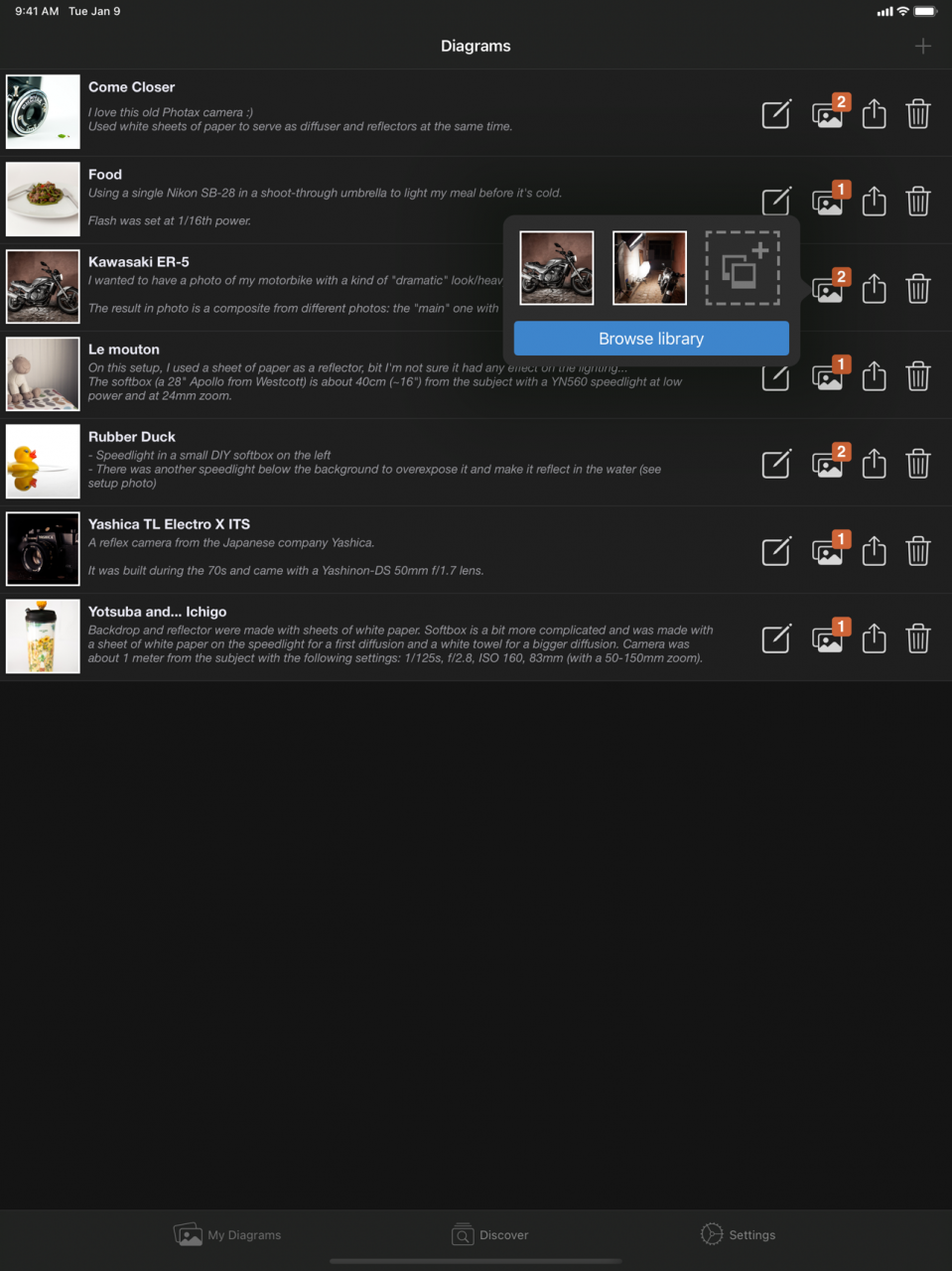
• A collection of your diagrams giving you access to a wide range of features:
- Diagram edition – just in case you had forgotten something, no need to do it all over again!
- Attach photos to your diagrams: choose them from your photo library, or use your device's built-in camera to take an instant shot of your setup before it's taken apart.
- Send by email: an easy and quick way to share diagrams. If it's for your friends, send the diagram and its associated photos. If it's for your assistant, include all the settings information as well!
- Save the diagram to your photo library.
• A small yet responsive team you can get in touch with at any time on feedback.sylights.com, on Twitter (@Sylights) or on Facebook (facebook.com/sylights). We're always happy to hear about your suggestions or your projects!
So that's it: Sylights for iPad. If you're craving for that kind of app then you're on the right page!
Install it now, it's free :)
Mar 8, 2023
Version 1.14.2
• Remove Tester Settings from the Settings tab
About Sylights for iPad
The company that develops Sylights for iPad is Somi Jeon. The latest version released by its developer is 1.14.2.
To install Sylights for iPad on your iOS device, just click the green Continue To App button above to start the installation process. The app is listed on our website since 2023-03-08 and was downloaded 9 times. We have already checked if the download link is safe, however for your own protection we recommend that you scan the downloaded app with your antivirus. Your antivirus may detect the Sylights for iPad as malware if the download link is broken.
How to install Sylights for iPad on your iOS device:
- Click on the Continue To App button on our website. This will redirect you to the App Store.
- Once the Sylights for iPad is shown in the iTunes listing of your iOS device, you can start its download and installation. Tap on the GET button to the right of the app to start downloading it.
- If you are not logged-in the iOS appstore app, you'll be prompted for your your Apple ID and/or password.
- After Sylights for iPad is downloaded, you'll see an INSTALL button to the right. Tap on it to start the actual installation of the iOS app.
- Once installation is finished you can tap on the OPEN button to start it. Its icon will also be added to your device home screen.
Program Details
System requirements
Download information
Pricing
Version History
version 1.14.2
posted on 2023-03-08
Mar 8, 2023
Version 1.14.2
• Remove Tester Settings from the Settings tab
version 1.14
posted on 2022-07-06
Jul 6, 2022 Version 1.14
• Added support for iOS 15, finally!
• Fixed a bug where the background under the ads could become visible
• Refreshed UI for the Settings tab
• Removed support for iOS 9 and 10
We've also decided to extend our offer to remove ads for FREE until the end of 2022.
version 1.13
posted on 2021-03-01
Mar 1, 2021 Version 1.13
• Added a new read-only mode to view a diagram without running the risk of updating it
• Fixed a bug where the background would be white in Dark Mode in some parts of the app
We've also made the decision to extend our offer to remove ads for FREE until the end of September.
